Why this matters: Vector databases power modern AI applications like semantic search, recommendation systems, and retrieval-augmented generation (RAG), enabling machines to understand and find similar content in ways traditional databases cannot.
🎯 Attention Activity: Find Similar Points

Click anywhere in the space below to place a query point. Watch as the system highlights similar vectors based on distance!
What you just experienced: This is the core concept of vector databases—finding similar items in high-dimensional space. Each point represents data (like a document, image, or product), and proximity indicates similarity.
What Are Vector Databases?
Vector databases are specialized systems designed to store, index, and query high-dimensional vector embeddings efficiently. Unlike traditional databases that store structured data in rows and columns, vector databases handle numerical representations of unstructured data.

Key Characteristics
- High-dimensional storage: Handle vectors with hundreds or thousands of dimensions
- Similarity search: Find nearest neighbors rather than exact matches
- Specialized indexing: Use algorithms optimized for vector operations
- Scalability: Manage billions of vectors with sub-millisecond latency
Traditional vs. Vector Databases
- Traditional: "Find users WHERE age > 25 AND city = 'NYC'"
- Vector: "Find documents most similar to this query embedding"
Embeddings and Vector Representation

Embeddings are dense numerical representations that capture semantic meaning. Machine learning models transform unstructured data (text, images, audio) into fixed-size vectors where similar items are close together in vector space.
How Embeddings Work
- Transformation: Neural networks encode input data into vectors
- Dimensionality: Typical sizes: 384, 768, 1536, or 4096 dimensions
- Semantic capture: Similar meanings → similar vectors
- Distance preservation: Geometric distance reflects conceptual similarity
Example: Text Embeddings
"The cat sat on the mat" → [0.23, -0.45, 0.67, ..., 0.12]"A feline rested on the rug" → [0.21, -0.43, 0.65, ..., 0.15]
These sentences have different words but similar embeddings because they convey the same meaning.
Popular Embedding Models
- OpenAI Ada-002: 1536 dimensions, general-purpose
- BERT: 768 dimensions, contextual understanding
- Sentence-BERT: Optimized for sentence similarity
- CLIP: Multi-modal (text + images)
Similarity Search and Distance Metrics
Similarity search finds vectors closest to a query vector. The definition of "closest" depends on the distance metric you choose.
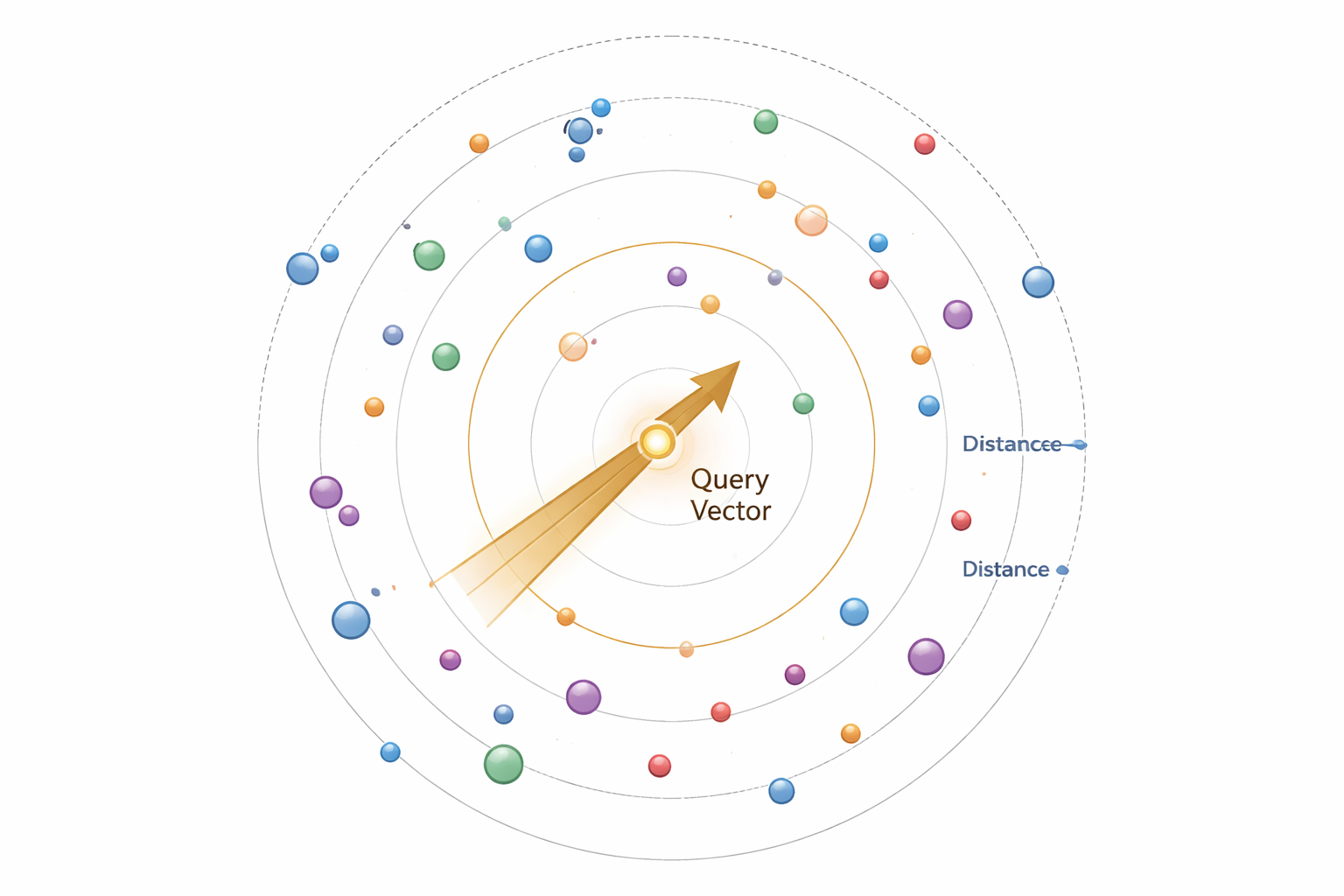
Common Distance Metrics
Euclidean (L2)
Straight-line distance. Best for spatial data.
d = √Σ(a-b)²
Cosine Similarity
Measures angle, ignores magnitude. Best for text.
sim = a·b / (||a|| ||b||)
Dot Product
Magnitude-aware similarity. Fast computation.
d = Σ(aᵢ × bᵢ)
Manhattan (L1)
Grid-based distance. Robust to outliers.
d = Σ|a-b|
Choosing the Right Metric
- Text/Semantic search: Cosine similarity (direction matters, not magnitude)
- Image embeddings: Euclidean distance (spatial relationships)
- High-dimensional sparse data: Dot product (computational efficiency)
- Outlier-sensitive tasks: Manhattan distance (more robust)
Knowledge Check 1
Which distance metric is most commonly used for text embeddings and why?
Indexing Techniques: HNSW, IVF, PQ
Brute-force search (comparing against every vector) becomes impractical with millions or billions of vectors. Indexing structures enable fast approximate searches.
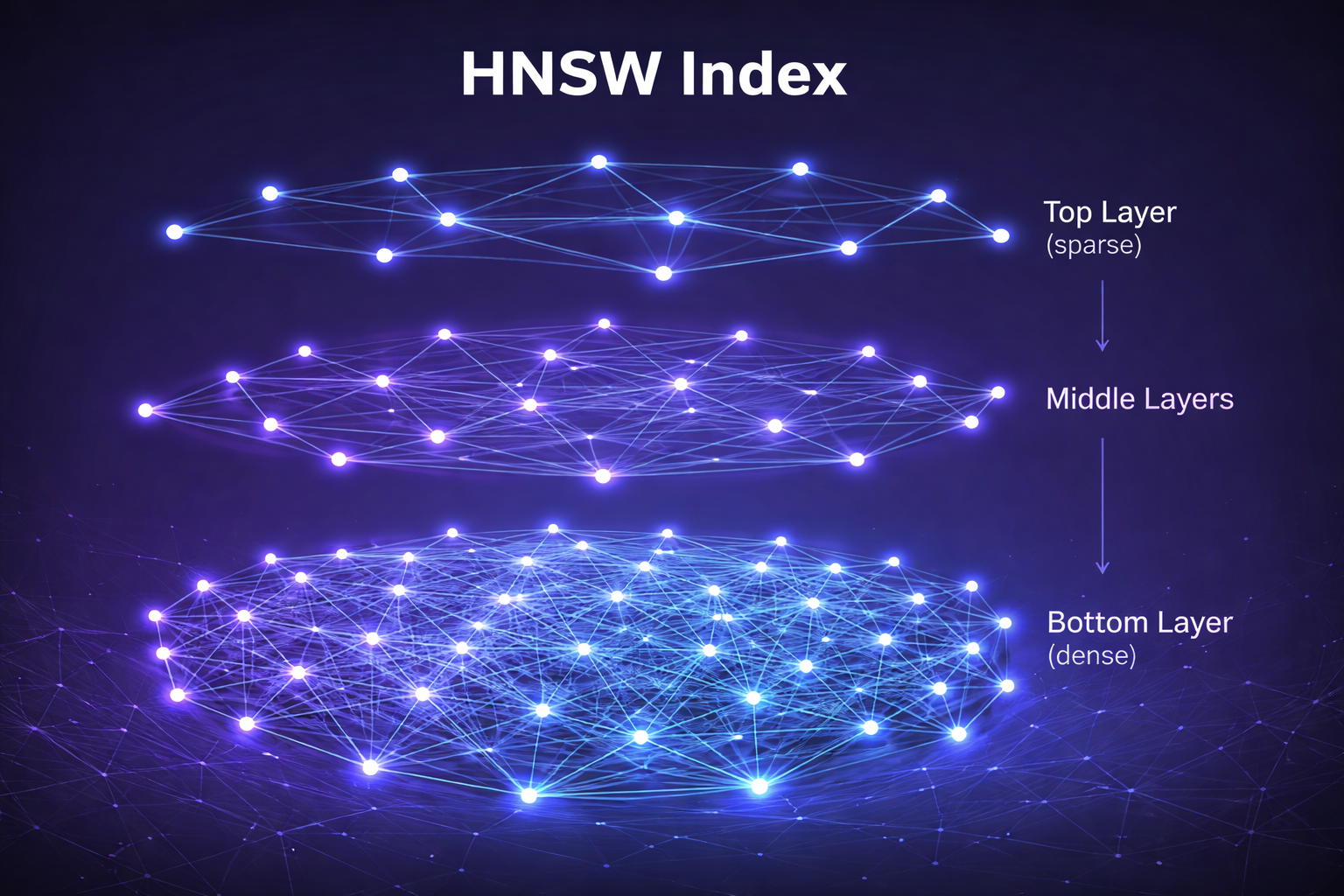
1. HNSW (Hierarchical Navigable Small World)
Graph-based index with multiple layers. Top layers are sparse for fast routing, bottom layers are dense for precision.
- Strengths: Excellent recall, fast queries, good for high-dimensional data
- Weaknesses: High memory usage, slow indexing time
- Best for: When query accuracy is critical and memory isn't constrained
HNSW Layer Visualization (hover over nodes):
2. IVF (Inverted File Index)
Clustering-based index that partitions vectors into clusters (Voronoi cells), then searches only relevant clusters.
- Strengths: Memory efficient, fast indexing, good for 1M-100M vectors
- Weaknesses: Lower recall than HNSW, requires careful tuning
- Best for: Large-scale systems with memory constraints
3. PQ (Product Quantization)
Compression technique that splits vectors into subvectors and quantizes each independently, drastically reducing memory.
- Strengths: 10-50x memory reduction, enables billion-scale search
- Weaknesses: Lossy compression reduces accuracy
- Best for: Combined with IVF (IVF-PQ) for massive datasets
Approximate Nearest Neighbor (ANN) Search
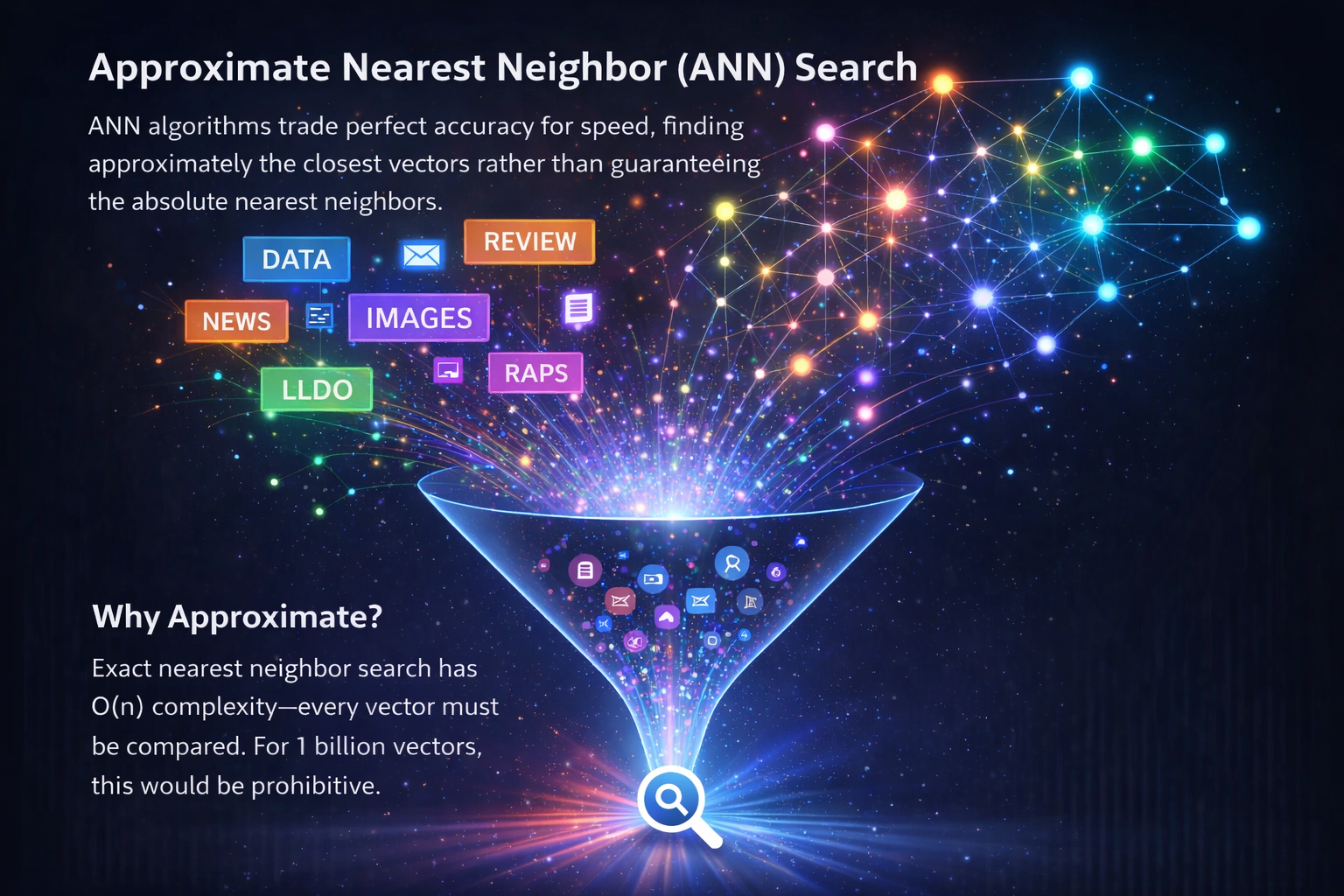
ANN algorithms trade perfect accuracy for speed, finding approximately the closest vectors rather than guaranteeing the absolute nearest neighbors.
Why Approximate?
Exact nearest neighbor search has O(n) complexity—every vector must be compared. For 1 billion vectors with 1536 dimensions, a single query could take seconds. ANN reduces this to milliseconds with 95-99% recall.
The Accuracy-Speed Trade-off
Key ANN Algorithms
- HNSW: Graph-based, best recall/speed balance
- FAISS (IVF-PQ): Facebook's library, scales to billions
- ANNOY: Tree-based, memory-efficient
- ScaNN: Google's algorithm, optimized for large batches
Tuning Parameters
- Recall target: Higher recall = slower queries but better results
- Index size: More memory = faster queries
- Build time: Complex indexes take longer to construct
Knowledge Check 2
What is the primary advantage of HNSW over IVF-based indexing methods?
Metadata Filtering and Hybrid Search
Real-world applications often need more than just semantic similarity—they combine vector search with traditional filters and full-text search.
Metadata Filtering
Attach structured metadata to vectors and filter before or during search:
- Pre-filtering: Filter candidates first, then search vectors (can reduce search space but may miss results)
- Post-filtering: Search vectors first, then filter results (maintains recall but less efficient)
- Inline filtering: Filter during search traversal (best balance, requires index support)
Example Query:
Find documents similar to "machine learning optimization"WHERE author = "Smith" AND year >= 2022AND category IN ["AI", "ML"]
Hybrid Search
Combines multiple search methods for better results:
- Vector + Keyword: Semantic understanding + exact term matching
- Dense + Sparse: Neural embeddings + BM25 or TF-IDF
- Multi-modal: Text + image vectors simultaneously
Fusion Strategies
- Reciprocal Rank Fusion (RRF): Combines rankings from multiple sources
- Weighted scoring: Assign weights to vector vs. keyword results
- Reranking: Use vector search for recall, then rerank with more expensive models
Popular Vector Databases with Hybrid Search
- Qdrant: Advanced filtering, payload indexing
- Weaviate: Hybrid search with BM25 + vector
- Pinecone: Metadata filtering, sparse-dense vectors
- Milvus: Scalar filtering, hybrid search support
Data Ingestion and Query Pipelines

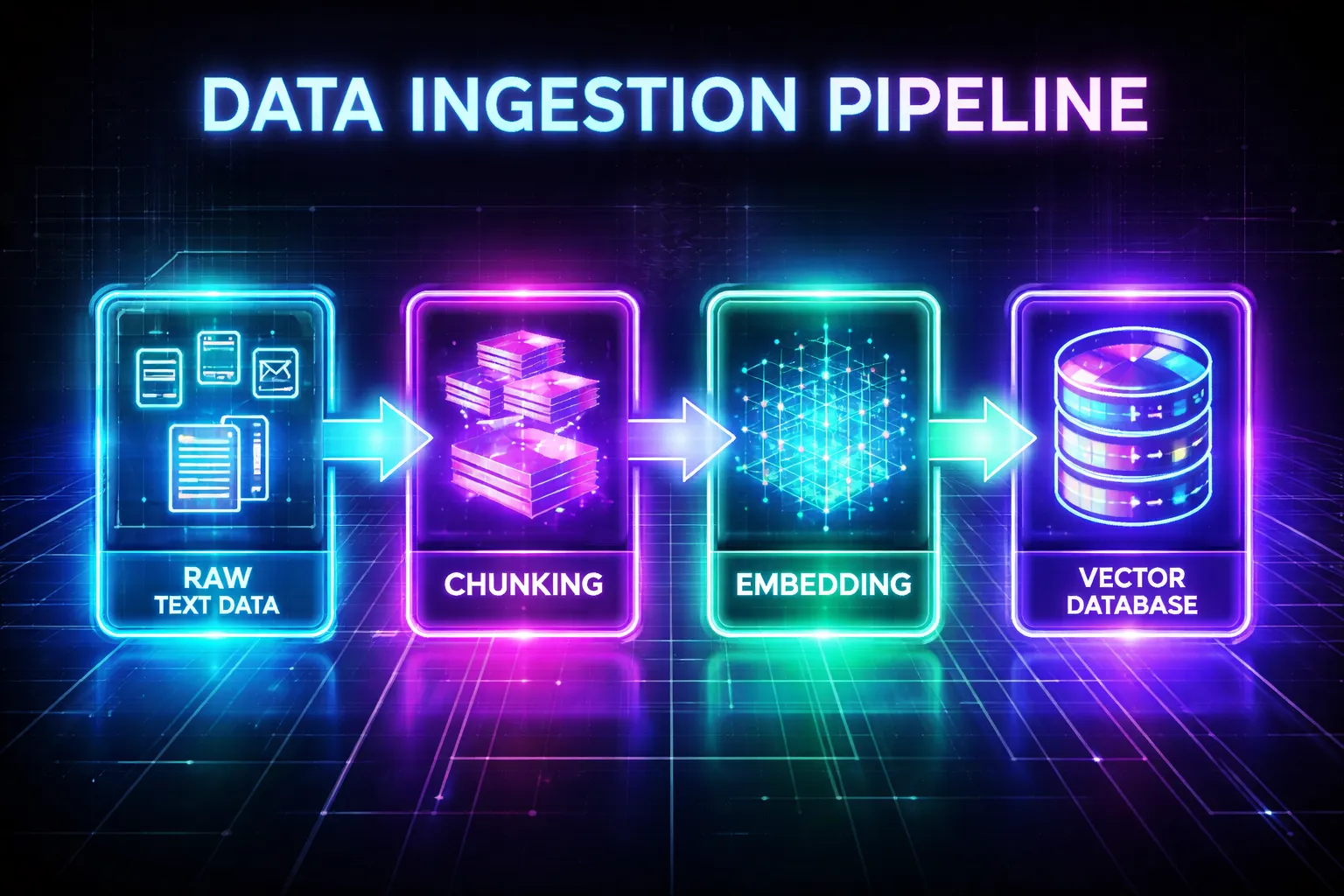
Building production vector search requires well-designed pipelines for both ingestion (adding data) and querying (retrieving data).
Ingestion Pipeline
Click the button to see the pipeline in action:
Text, images, audio
Split into segments
Generate vectors
Attach attributes
Build index structure
Query Pipeline
- User query: Natural language input
- Query embedding: Convert to vector using same model
- Retrieval: ANN search with filters
- Reranking (optional): Refine results with cross-encoders
- Post-processing: Format and return results
Best Practices
- Chunk size: 200-500 tokens for text balances context and precision
- Overlap: 10-20% overlap between chunks prevents information loss
- Same embedding model: Use identical model for indexing and querying
- Batch processing: Embed and index in batches for efficiency
- Version tracking: Track embedding model versions for reproducibility
Knowledge Check 3
In a hybrid search system, what is the main advantage of using Reciprocal Rank Fusion (RRF)?
Scaling, Sharding, and Performance Optimization
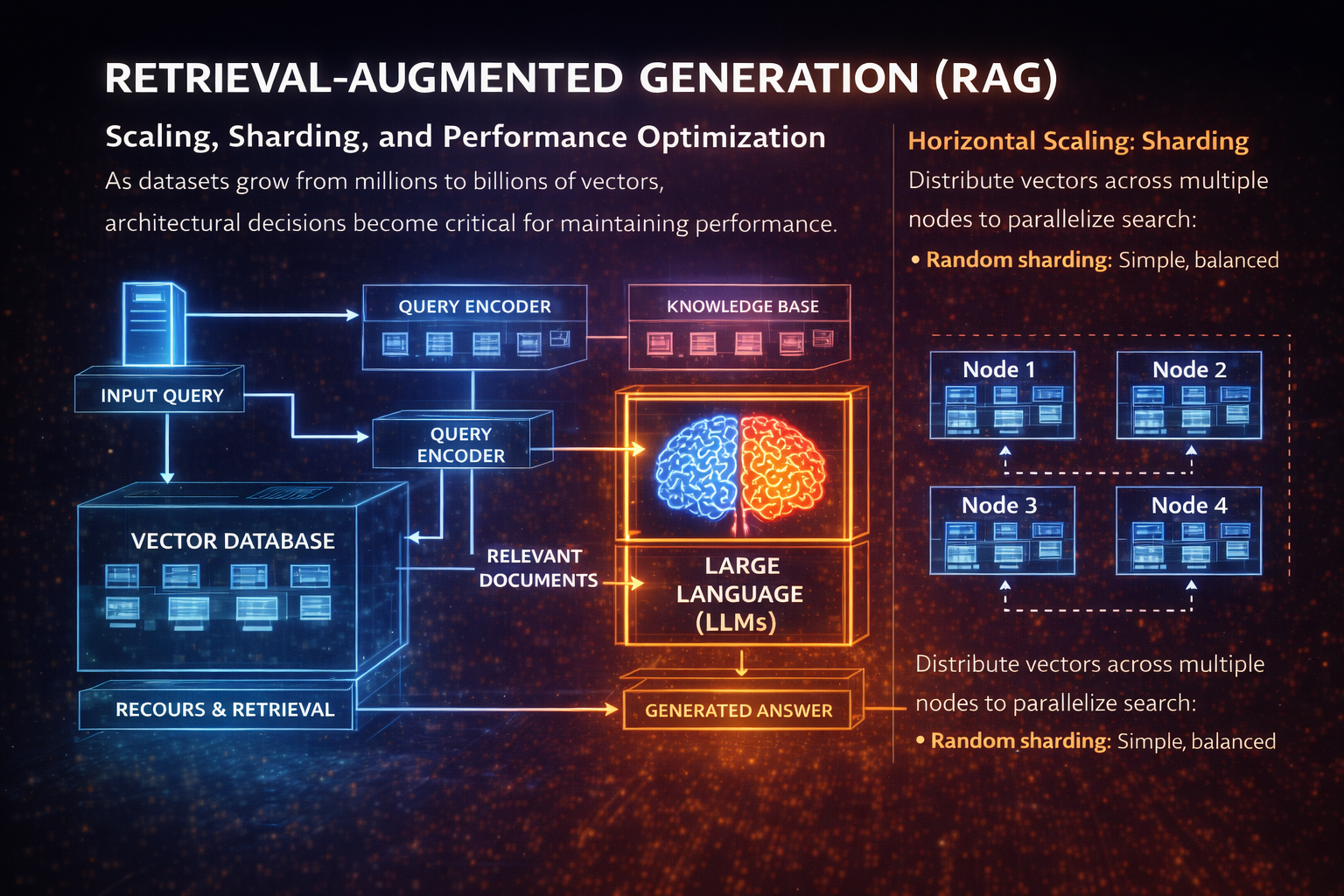
As datasets grow from millions to billions of vectors, architectural decisions become critical for maintaining performance.
Horizontal Scaling: Sharding
Distribute vectors across multiple nodes to parallelize search:
- Random sharding: Simple, balanced distribution
- Hash-based sharding: Consistent placement by metadata
- Cluster-based sharding: Group similar vectors (locality-sensitive)
Example: 100M vectors across 10 shards
• Each shard: 10M vectors → faster local search
• Query all shards in parallel → aggregate results
• Total latency ≈ single shard latency + network overhead
Vertical Scaling: Resource Optimization
- Memory: Keep hot indexes in RAM, cold data on SSD
- CPU: Use SIMD instructions for vector operations
- GPU: Batch queries for massive parallelism
- Compression: PQ reduces memory by 10-50x
Caching Strategies
- Query caching: Store results for repeated queries
- Embedding caching: Cache frequently accessed vectors
- Negative caching: Remember what's NOT similar
Performance Benchmarks (typical)
1-5ms p95 latency
5-20ms p95 latency
20-50ms p95 latency
50-200ms p95 latency
Cost Optimization
- Dimensionality reduction: PCA/UMAP to reduce vector size
- Quantization: Trade precision for storage (float32 → int8)
- Tiered storage: Recent data in-memory, archive on disk
- Batch updates: Rebuild indexes periodically vs. real-time
Use Cases: Retrieval-Augmented Generation (RAG)
RAG has become one of the most important applications of vector databases, powering AI assistants with current, domain-specific knowledge.
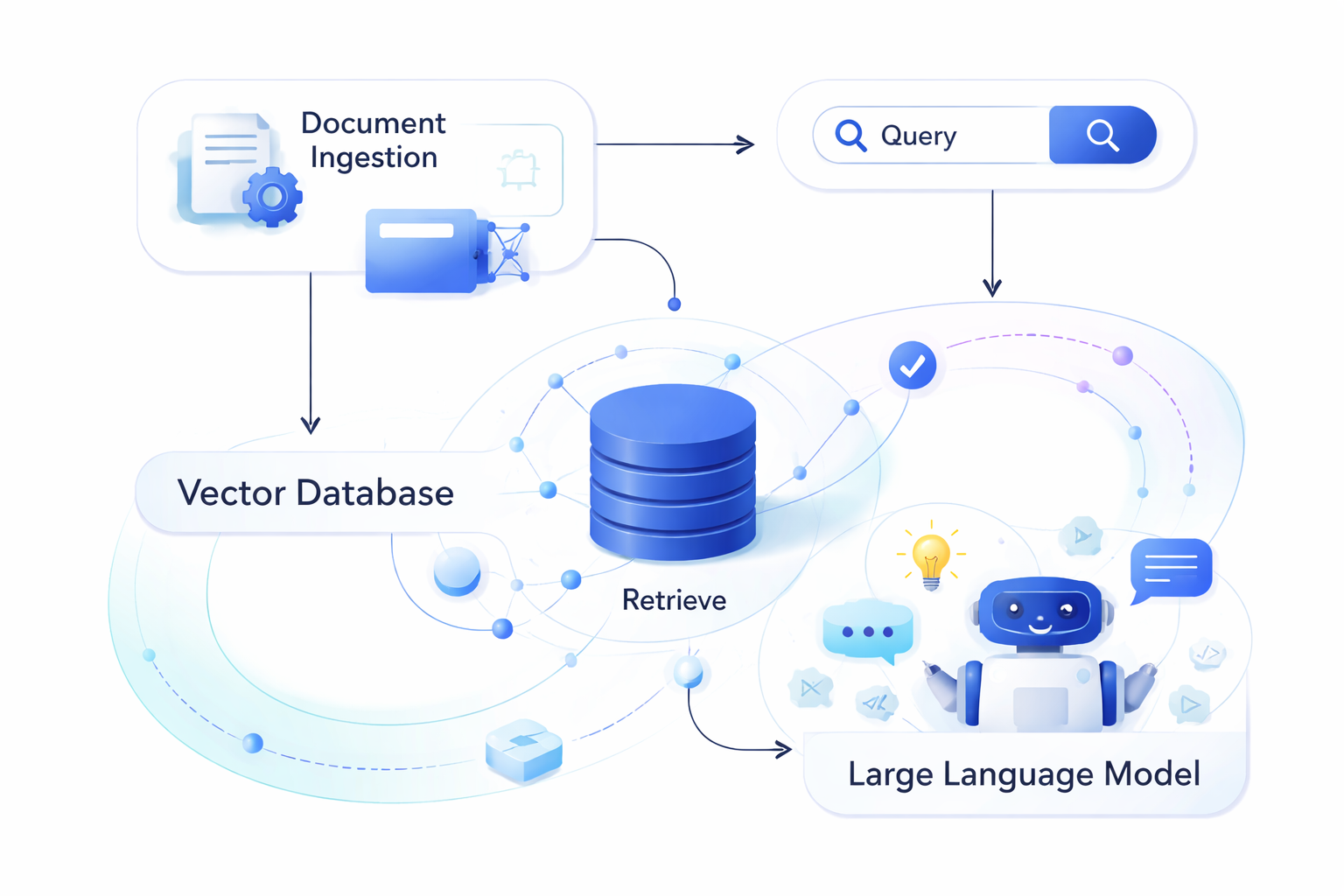
How RAG Works
- Index knowledge base: Embed documents into vector database
- User query: Convert question to embedding
- Retrieve context: Find most relevant document chunks
- Augment prompt: Inject retrieved context into LLM prompt
- Generate response: LLM produces grounded, factual answer
Why RAG + Vector Databases?
- Up-to-date information: Update knowledge base without retraining LLM
- Domain expertise: Add proprietary or specialized knowledge
- Reduced hallucination: Ground responses in retrieved facts
- Source attribution: Cite specific documents or sections
- Cost efficiency: Cheaper than fine-tuning large models
RAG Challenges
- Context window limits: LLMs can only process finite tokens
- Retrieval quality: Poor retrieval = poor generation
- Chunk boundaries: Important info might span chunks
- Latency: Retrieval adds 20-100ms to response time
Advanced RAG Techniques
- Hypothetical document embeddings (HyDE): Generate fake answer, use it for retrieval
- Reranking: Use cross-encoder to refine top-k results
- Multi-query: Generate multiple query variations for better coverage
- Iterative retrieval: Retrieve, reason, retrieve again based on initial findings
More Use Cases and Applications
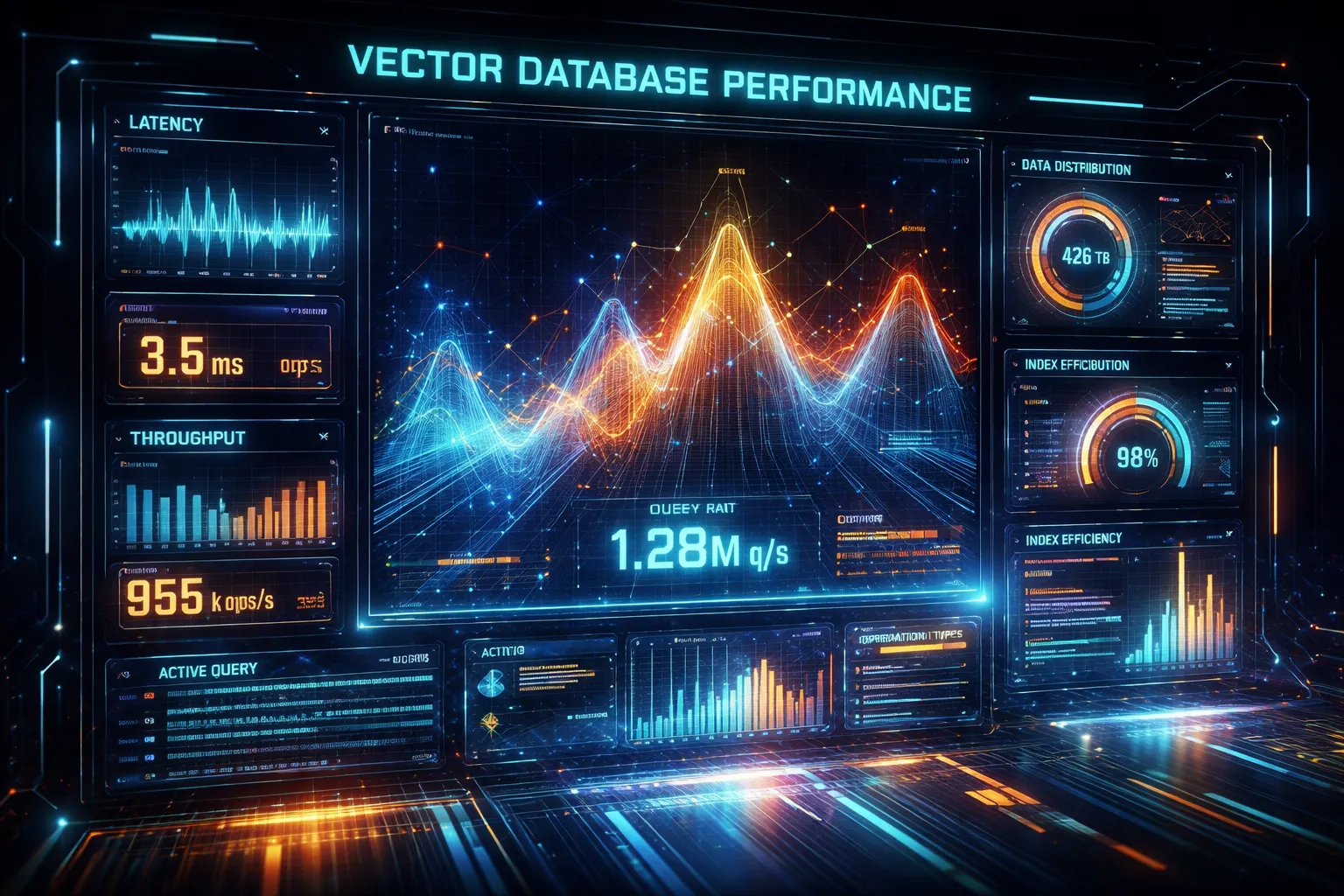
Beyond RAG, vector databases enable a wide range of AI-powered applications across industries.
🔍 Semantic Search
- E-commerce: "Show me comfortable running shoes for winter" (not just keyword match)
- Enterprise search: Find documents by meaning, not exact words
- Code search: Find similar code patterns or functionality
🎯 Recommendation Systems
- Content recommendations: Netflix, YouTube, Spotify
- Product recommendations: Amazon, eBay
- Social feeds: LinkedIn, Twitter/X personalization
- Collaborative filtering: "Users similar to you liked..."
🖼️ Multi-modal Search
- Image search: Find images by text description or similar image
- Video search: Search within video content semantically
- Audio search: Find similar music or speech patterns
- Cross-modal: Text query → image results (CLIP embeddings)
🛡️ Anomaly Detection
- Fraud detection: Identify unusual transaction patterns
- Cybersecurity: Detect abnormal network behavior
- Quality control: Find defective products in manufacturing
🤖 AI Agents & Memory
- Long-term memory: Store conversation history, retrieve relevant context
- Semantic memory: Remember facts and relationships
- Episodic memory: Recall past interactions and events
🧬 Scientific Research
- Drug discovery: Find similar molecular structures
- Genomics: Compare DNA/protein sequences
- Literature review: Discover related research papers
Real-world Examples
- Notion AI: Semantic search across user documents
- Shopify: Product recommendations and search
- GitHub Copilot: Code similarity and suggestions
- Duolingo: Personalized learning recommendations
Knowledge Check 4
What is the primary benefit of using vector databases in RAG systems compared to traditional keyword-based retrieval?
Challenges and Future Trends

Vector database technology is rapidly evolving. Understanding current limitations and future directions is essential for building robust systems.
Current Challenges
- Cost at scale: Storing billions of high-dimensional vectors is expensive
- Cold start problem: New items lack sufficient data for good embeddings
- Embedding drift: Model updates change vector spaces, requiring reindexing
- Interpretability: Hard to explain why specific results were retrieved
- Multi-tenancy: Isolating data for different customers efficiently
- Real-time updates: Balancing index freshness with query performance
Emerging Solutions
- Binary quantization: Extreme compression with minimal accuracy loss
- Matryoshka embeddings: Variable-dimension vectors for flexibility
- Streaming indexes: Real-time updates without full rebuilds
- Serverless vector databases: Pay-per-query, auto-scaling
Future Trends (2024-2026)
- Native LLM integration: Vector DBs with built-in reasoning
- Multi-modal by default: Text, image, audio in unified space
- Federated vector search: Search across distributed, private databases
- Hardware acceleration: Custom chips (DPUs, AI accelerators) for vector ops
- Graph + vector fusion: Combining knowledge graphs with embeddings
- Adaptive indexes: Self-tuning based on query patterns
Research Directions
- Learned indexes: ML models that predict vector locations
- Quantum-inspired algorithms: Novel approaches to high-dimensional search
- Privacy-preserving search: Encrypted vector search (homomorphic encryption)
- Dynamic embeddings: Context-aware vectors that change with time or user
Industry Landscape
Major players: Pinecone, Weaviate, Qdrant, Milvus, Chroma, Vespa, Postgres (pgvector), Redis, Elasticsearch, OpenSearch
Lesson Summary
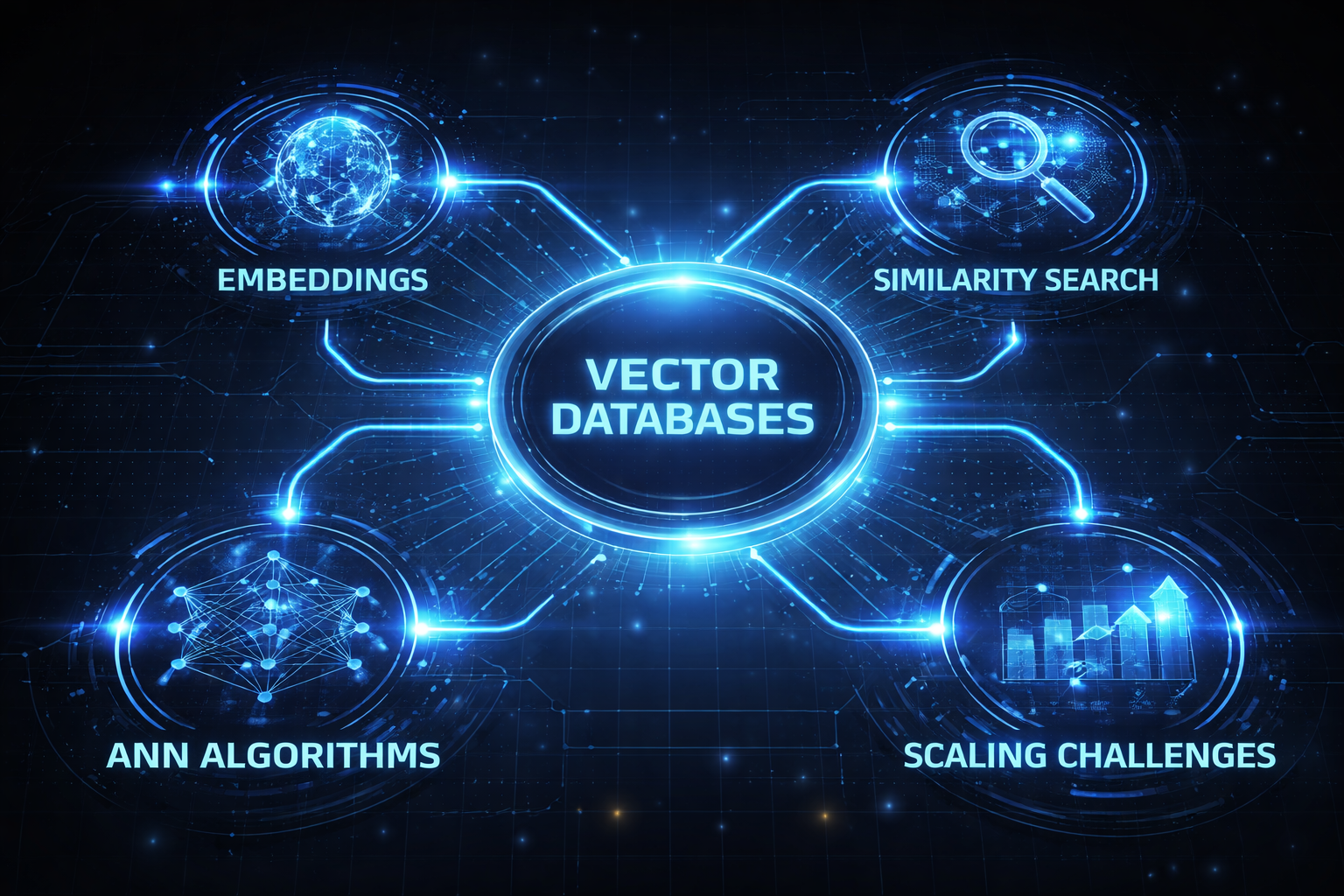
- Vector Databases: Specialized storage systems engineered to efficiently store, index, and retrieve high-dimensional data points.
- Embeddings: Dense mathematical representations of unstructured data (such as text, images, or audio) that capture deep semantic relationships.
- Similarity Search: The core querying mechanism that retrieves relevant data by calculating the mathematical proximity between a query vector and stored vectors.
- ANN Algorithms: Approximate Nearest Neighbor indexing techniques that drastically improve search speeds across massive datasets by trading a fraction of accuracy for performance.
- Scaling Challenges: Current industry hurdles, including the high computational and financial costs of storing billions of vectors, and the cold start problem for newly added data.
Assessment Starting
You are about to begin the assessment. Select the best answer for each question.
Assessment Question 1
A company is building a semantic search engine for 50 million product descriptions. They need sub-20ms query latency with 97%+ recall. Which indexing approach would be most appropriate?
Assessment Question 2
In a RAG system, a user asks "What were last quarter's sales figures?" The vector database returns documents about sales strategies instead of the actual numbers. What is the most likely root cause?
Assessment Question 3
A vector database with 200 million vectors is experiencing increasing query latency as more users access the system. The database is sharded across 20 nodes. What optimization would most directly address this issue?
Assessment Question 4
Which scenario would benefit MOST from using Product Quantization (PQ) in a vector database?
Assessment Question 5
When implementing metadata filtering in a vector database, what is the key difference between pre-filtering and inline filtering?